Field notes / core-developer-intent
Bank Statement API Authentication Before Upload
Use a three-gate check to isolate bearer credentials, reject invalid statement files, and verify the first documented API handoff safely.
2026-08-05 · 9 min read · bankstatement.ai Team

TL;DR
- Keep the bearer token on a trusted server. Route browser and mobile uploads through your backend instead of exposing the credential in client code.
- Before any network transfer, admit only the documented statement formats and size: PDF, CSV, or XLSX, up to 25 MB.
- Local validation and platform preflight are different checks. A file that passes your local rules may still fail a service-side check.
- Use only a documented REST submission contract. If the documentation does not publish a REST preflight route or authentication-error schema, leave those details unresolved.
- Run the first multipart request with a synthetic statement. An HTTP 202 response with a job ID means the job was accepted, not that processing finished or the extracted data is accurate.
You have a multipart upload ready, but the real blocker is whether it is safe to release: Is the token confined to your backend, is the statement admissible, and is the receiving contract documented well enough to trust with financial data? Treat those as independent decisions. Passing one does not prove the others, and guessing at a missing endpoint turns a controlled test into an avoidable production risk.
Key Takeaways
- Use the Three-Gate Upload Release Check: credential boundary, file admission, and documented handoff.
- Gate 1 passes only when the bearer credential remains behind a trusted backend.
- Gate 2 passes only when the file meets the evidenced format and size constraints.
- Gate 3 passes only when the documented request receives its documented acceptance response.
- Mark a gate unresolved when the contract you need is not published. Do not convert an assumption into executable code.
- Authentication and validation prove different things: an accepted token does not make a file valid, and a locally valid file does not authenticate a request.
Set the release condition before you send the statement
“Authenticated,” “validated,” and “accepted” are often collapsed into one vague readiness check. That makes failures hard to diagnose and encourages developers to send a real statement merely to discover which assumption was wrong.
Use four precise terms instead:
- Authentication means presenting a bearer token in the
Authorizationheader according to the API contract. - Local admission means checking constraints your application can verify before transferring the file, such as its permitted format and size.
- Platform preflight means a service-side inspection performed before a processing job starts.
- Job acceptance means the documented submission returns HTTP 202 with a job ID.
These states are independent. A 10 MB PDF may pass local admission while its request lacks an accepted credential. A correctly formed authorization header may accompany an unsupported file. Even an accepted job says nothing yet about completion or extraction quality.
That distinction defines a useful stopping point: release the upload only when the credential boundary and local file gate pass, and the next network action has a documented contract. Stop after the first acceptance response. Polling, result retrieval, output review, and exports are later lifecycle decisions, not evidence that the initial upload was safe to send.
For bankstatement.ai, the documented REST path uses bearer authentication and tells developers to keep tokens server-side and proxy browser or mobile requests through their backend. Its upload evidence supports PDF, CSV, and XLSX statements up to 25 MB. Those facts are enough to build a narrow release check without inventing broader validation behavior. See the API docs · bankstatement.ai for the maintained request contract.
Gate 1: Keep bearer authentication behind the backend
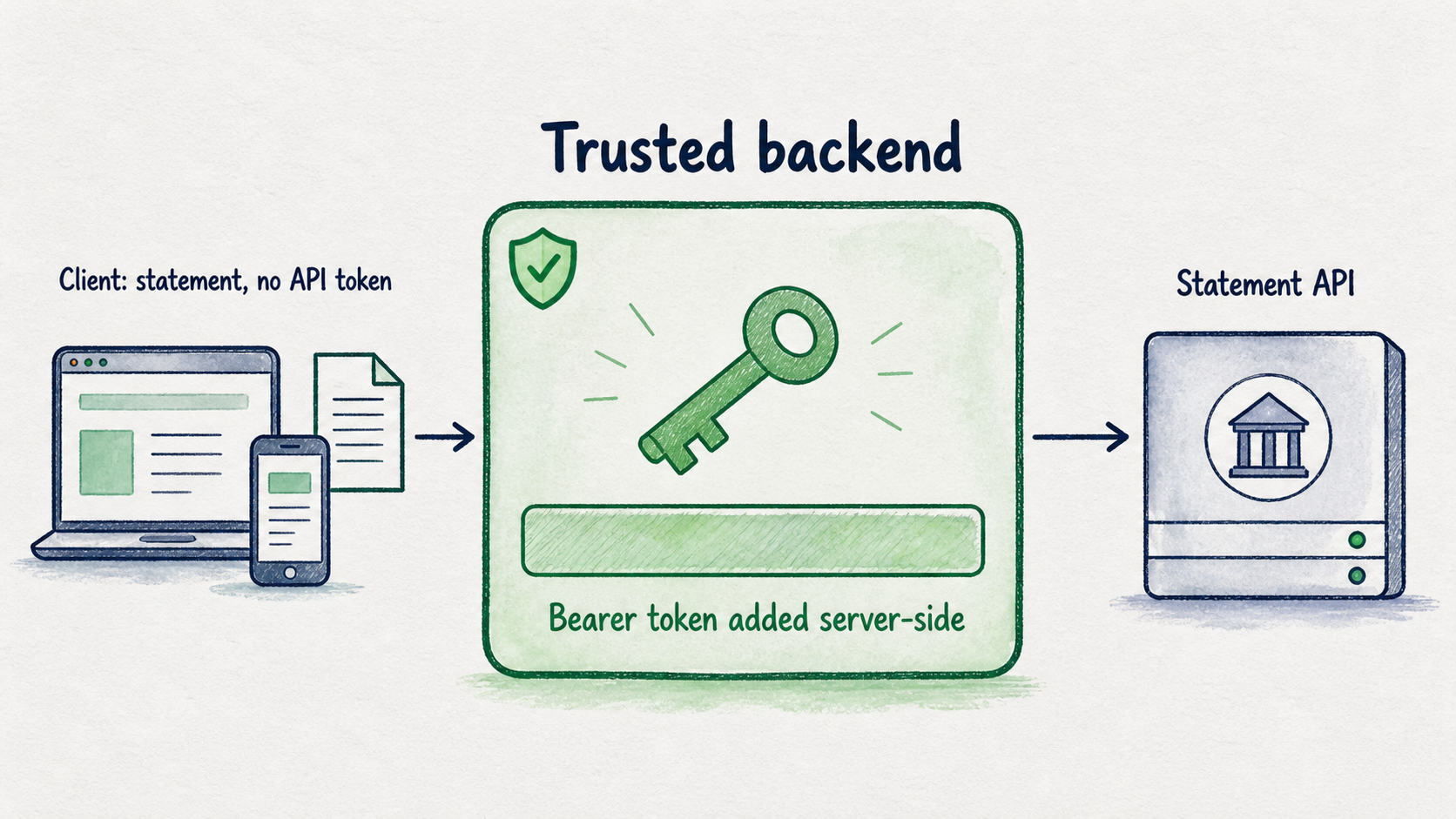
A bearer token grants access to whoever possesses it. The important architectural decision is therefore not how elegantly the frontend constructs the header; it is whether the frontend ever receives the credential.
The documented request uses this header shape:
Authorization: Bearer bsai_live_YOUR_TOKEN
bsai_live_YOUR_TOKEN is a placeholder, not a value to commit or copy into client code. Load the real token inside the backend process that submits the statement. The browser or mobile client should send the file to your application, and your backend should add the authorization header when it calls the statement API.
A minimal boundary looks like this:
Browser or mobile client
        |
        | statement upload, no API token
        v
Your authenticated backend
        |
        | Authorization: Bearer <server-side token>
        v
Bank statement API
This boundary prevents the API token from being delivered in a JavaScript bundle, mobile binary, browser storage, or client-visible request. It also gives your application one place to decide who may submit statements before it spends pages or transfers financial data.
Gate 1 should record three possible outcomes:
- Pass: The token is injected only by a trusted backend process.
- Fail: The token is present in browser code, a mobile client, a public repository, application output, or a shared message.
- Unresolved: The team cannot identify where the credential is loaded or which component sends the upstream request.
Do not fill an unresolved state with assumptions about token scopes, expiry, revocation, or rotation cadence. Those properties require their own documented contract. The MCP integration does expose token retrieval and rotation workflows and keeps BANKSTATEMENT_API_TOKEN in the MCP environment, but that does not establish equivalent public REST token-management endpoints. The MCP server install · bankstatement.ai documents that separate interface.
Credential isolation also should not be described as zero retention. The service states that account API-call metadata remains visible for 90 days while excluding uploaded files, request and response bodies, headers, and API tokens. That is a bounded logging claim, not a promise that the entire account leaves no records.
Gate 2: Reject an inadmissible upload locally
The second gate prevents a clearly unsupported file from leaving your system. It is deliberately modest: enforce only what your application can determine from the documented limits.
For this integration, the supported inputs are PDF, CSV, and XLSX bank statements up to 25 MB. A useful local admission function therefore needs two explicit decisions:
- Is the selected file represented as one of the permitted formats?
- Is its size no greater than 25 MB?
Consider a hypothetical release test. A developer selects a 26 MB PDF. The file may be a genuine, readable statement, but it fails the documented size limit and should be stopped locally. A 10 MB PDF passes this gate, yet that result proves only that its declared format and size are admissible. It does not prove that the token will be accepted, the document is uncorrupted, the text can be extracted, or the output will be accurate.
Use the real file metadata produced by your upload handler when implementing this check. Return one of three outcomes rather than a generic Boolean:
- Pass: The file is PDF, CSV, or XLSX and does not exceed 25 MB.
- Fail: The file has an unsupported format or exceeds 25 MB.
- Unresolved: Your application cannot reliably determine the format or size before transfer.
Do not quietly expand this gate into unsupported checks. The available contract does not specify a required MIME-sniffing algorithm, content-signature procedure, corruption test, encrypted-PDF policy, OCR-quality threshold, or page limit. If your risk model requires one of those decisions, record it as unresolved until you have an authoritative rule.
Platform preflight is also separate from this local gate. The MCP workflow documents a preflight_statement capability before accepted jobs are started, but the published material used here does not define a public REST preflight URL, HTTP method, request fields, response schema, or error contract. That means you can use the documented MCP preflight through its supported interface, but you should not invent an executable REST preflight call that merely looks plausible.
Gate 3: Make one documented handoff with a synthetic statement
Once the first two gates pass, test the smallest evidenced network action. Use a synthetic statement containing fictional account details and transactions so a configuration mistake does not expose real financial information.
The documented multipart job request is:
curl --request POST \
  'https://api.bankstatement.ai/api/v1/jobs' \
  --header 'Authorization: Bearer bsai_live_YOUR_TOKEN' \
  --form 'mode=convert' \
  --form 'statement=@./synthetic-statement.pdf'
Run this command only from a trusted environment, with the placeholder supplied through your backend’s protected configuration rather than pasted into source control or shell history. The convert mode requests transaction rows; the API separately documents companies for invoice-collection worklists.
Classify only the immediate responses whose meanings are documented:
- HTTP 202 with a job ID: The job was accepted. Gate 3 passes.
- HTTP 402: The account needs more pages. Gate 3 fails until account capacity is addressed.
- HTTP 429 with
retryAfterSeconds: The request is rate limited. Pause for the documented interval before deciding whether to retry. - Any other response: Record the status and safe diagnostic metadata, then consult the current contract. Do not assign a product-specific meaning to 401, 403, or an unfamiliar response body when that behavior has not been documented.
Gate 3 stops at acceptance. A job ID does not prove that processing has completed, that every transaction will be extracted, or that the output is suitable for accounting. It proves one narrower and still valuable fact: the documented API accepted this authenticated multipart job request.
Use the Three-Gate Upload Release Check
Put the decision in a small release record so another developer can see what was tested and why the upload was allowed or stopped.
| Gate | Owner | Evidence checked | State | Failure reason | Next permitted action |
|---|---|---|---|---|---|
| 1. Credential boundary | Backend owner | Token location and request path | Pass / Fail / Unresolved | Where the token is exposed or unknown | Continue to local admission only after pass |
| 2. File admission | Upload owner | Format and byte size | Pass / Fail / Unresolved | Unsupported format, over 25 MB, or unavailable metadata | Continue to submission only after pass |
| 3. Documented handoff | Integration owner | Endpoint, fields, header, and immediate response | Pass / Fail / Unresolved | Contract mismatch, page shortage, rate limit, or undocumented behavior | Stop at HTTP 202 acceptance |
The release rule is simple: submit real statements only when all three gates pass. A failed gate requires correction. An unresolved gate requires a documented answer; it is not permission to guess.
Suppose Gates 1 and 2 pass, but your architecture requires a standalone REST preflight response before job creation. The published REST contract does not provide that route or schema. Mark Gate 3 unresolved and pause that design. You can evaluate the documented MCP preflight, change the architecture to use the evidenced job handoff, or obtain an authoritative REST contract—but you should not publish an assumed endpoint.
This record is also useful during review because it localizes disagreement. A security reviewer can challenge credential placement without reopening file limits. An upload owner can correct admission logic without changing authentication. The integration owner can compare the actual response with the documented handoff without claiming that acceptance verifies extraction.
Release the smallest safe test
Create an account, obtain an API token through the supported account workflow, and keep it in your backend environment. Run the Three-Gate Upload Release Check with a synthetic PDF, CSV, or XLSX statement, then stop when the documented request returns HTTP 202 and a job ID.
That is enough to validate the release boundary. Move to real financial documents only after every gate passes—and never treat acceptance as a guarantee of completed or accurate extraction.